
Block

Blocks are recurring Objects in The Legend of Zelda series.(ALttP | MM3D | FS | FSA | TMC | TP | TotK | ZA)[1][2][3][4][5][6][7][8][name references needed]
Location and Uses
Most types of Blocks can be Pushed and/or Pulled to solve Block pushing puzzles. Blocks can also be used to reach higher ledges by climbing on top of one, and to keep a Switch pressed down by pushing a Block on top of the Switch. Depending on the game, Blocks may be pushed or pulled by pressing the A-button and moving the control stick or pad into the desired direction, or in the case of Phantom Hourglass and Spirit Tracks, by tapping the desired direction.
Mobile Blocks are used to scale Stone Tower in Majora's Mask. Their position can be manipulated by stepping on Floor Switches along the Tower. Multiple Blocks can be moved at a time by leaving shells on their switches when playing the "Elegy of Emptiness".
The most common type of Block found in the series are puzzle Blocks. Most of the time, they can be pushed in any direction. However, in some games blocks can only be pushed on an specific direction. They can be used to press Floor Switches, to reach high ledges, or to reveal hidden passages. The design of blocks varies from game to game. In Ocarina of Time, they bear the Crest of the Gerudo, which was later replaced in subsequent released of the game. In Majora's Mask, they bear Majora's Mask.
In A Link to the Past and Oracle of Ages, the Cane of Somaria creates blocks that Link can push and sometimes carry around. Only a single block can be created at a time. In Four Swords Adventures, if Link gives the Fire Rod to a Great Fairy to upgrade it, the rod will also be able to create blocks that can be used as platforms. If Link uses the Fire Rod again, the block will explode, sending fire in four directions.
Tears of the Kingdom
Flux Constructs are composed of several Blocks held together by a green Magic. When separated from Flux Constructs, these Blocks can be Fused to Link's Weapons or Shields.
Nomenclature
 Names in Other Regions Names in Other Regions  | ||
|---|---|---|
| Language | Names | Meanings |
 Japanese | ブロック (Burokku)[9] | Same as English. |
| This table was generated using translation pages. To request an addition, please contact a staff member with a reference. | ||
Gallery
-
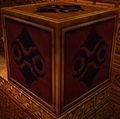
A Block from Ocarina of Time 3D
-
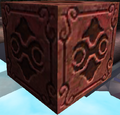
A Block from Ocarina of Time 3D
-
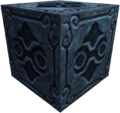
A Block from Ocarina of Time 3D
-
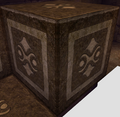
A Block from Ocarina of Time 3D
-
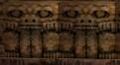
Mobile Blocks from Majora's Mask
-

A Block from The Minish Cap
-

A Block from The Minish Cap
-
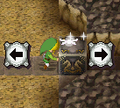
Link pushing a block from Phantom Hourglass
-

A Block from Cadence of Hyrule


See Also
- Large Block
- Cracked Block
- Goddess Cube
- Ice Block
- Key-sicle
- Locked Block
- Magnetic Block
- Sun Block
- Switch Block
- Time Block
- Wooden Box
References
- ↑ The Legend of Zelda: A Link to the Past—Nintendo Player's Guide, Nintendo of America, pg. 104
- ↑ "Blocks and Torches" — Vision (Majora's Mask 3D)
- ↑ "There are some blocks you can push. If you see a suspicious block, press
 in the direction you want to push the block." — Stray Fairy (Four Swords)
- ↑ Four Swords Adventures manual, pg. 33
- ↑ The Legend of Zelda: The Minish Cap—The Official Nintendo Player's Guide, Nintendo of America, pg. 30
- ↑ The Legend of Zelda: Twilight Princess—The Official Nintendo Player's Guide, Nintendo of America, pg. 97
- ↑ "Block" — Game Screen (Tears of the Kingdom)
- ↑ Zelda's Adventure manual, pg. 8
- ↑ Nintendo Official Guidebook—The Legend of Zelda: The Minish Cap, Shogakukan, pg. 34

- Blocks
- Zonai Technology
- Objects
- Objects in The Legend of Zelda
- Objects in A Link to the Past
- Objects in Link's Awakening
- Objects in Link's Awakening DX
- Objects in Link's Awakening (Nintendo Switch)
- Objects in Ocarina of Time
- Objects in Ocarina of Time 3D
- Objects in Majora's Mask
- Objects in Majora's Mask 3D
- Objects in Four Swords
- Objects in The Minish Cap
- Objects in Twilight Princess
- Objects in Twilight Princess HD
- Objects in Phantom Hourglass
- Objects in Spirit Tracks
- Objects in Skyward Sword
- Objects in Skyward Sword HD
- Objects in Tears of the Kingdom
- Objects in Zelda's Adventure
- Objects in Cadence of Hyrule